





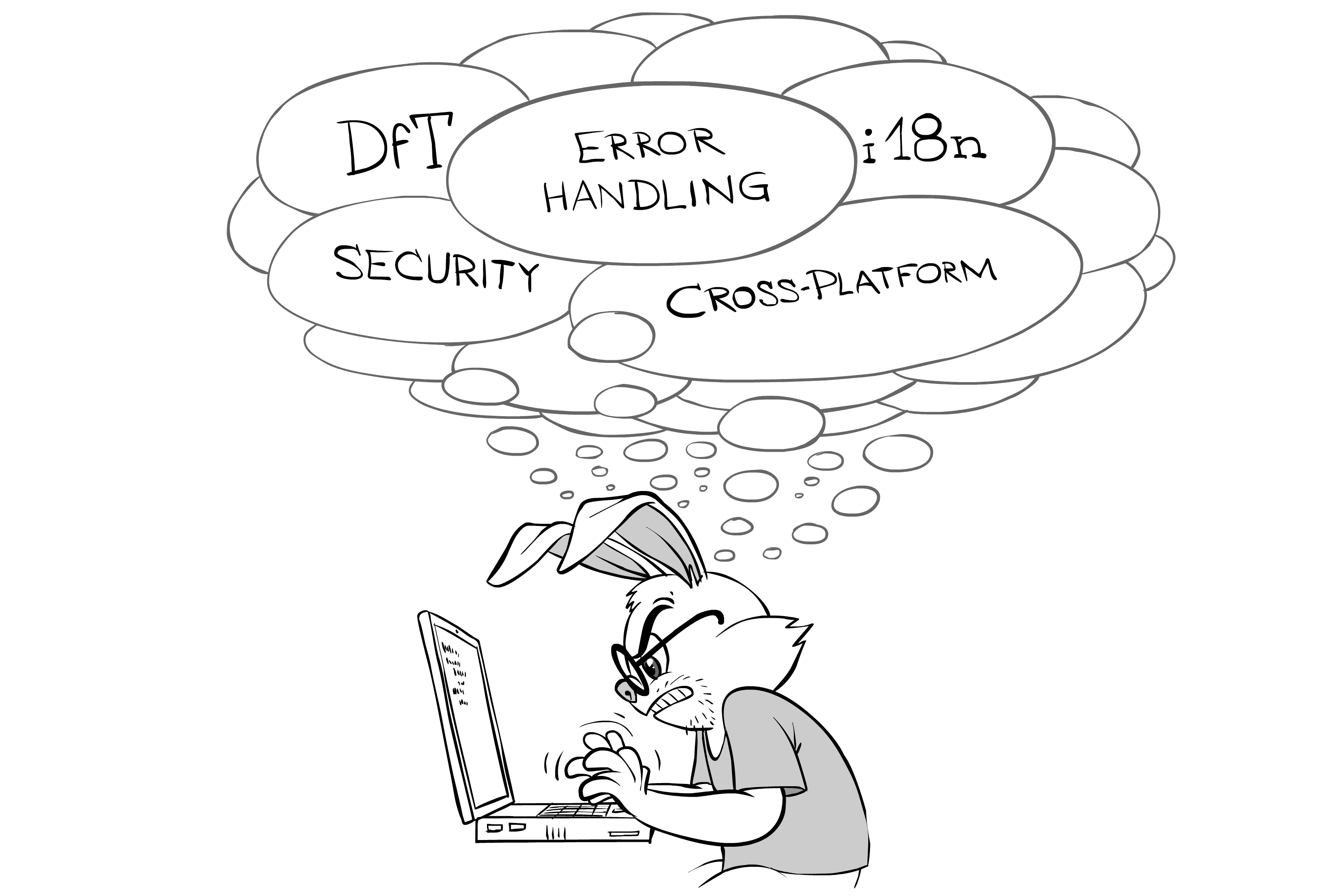

[[This is Chapter 12(b) from "beta" Volume IV of the upcoming book "Development&Deployment of Multiplayer Online Games", which is currently being beta-tested. Beta-testing is intended to improve the quality of the book, and provides free e-copy of the "release" book to those who help with improving; for further details see "Book Beta Testing". All the content published during Beta Testing, is subject to change before the book is published.
To navigate through the book, you may want to use Development&Deployment of MOG: Table of Contents.]]
We continue our discussion of “things you need to keep in mind during development to avoid rewriting the whole thing later”. Next on our list is “Coding for Security”
Coding for Security
DON’T trust the client!
For pretty much any distributed system, RULE #0 when it comes to security is
DON’T trust the client!
Not surprisingly, this rule applies to multiplayer games too. In particular, it means that you SHOULD make a big effort and
make sure that ALL your gameplay-affecting decisions are made on the server-side.
As it was mentioned in Chapter II, for really fast-paced games this is not always possible, but for each and every violation of this rule, you MUST understand that any decision made on the client, WILL be abused, so that you need to realize what kind of benefits the cheater will be able to obtain via abusing client-made decisions.
Sanitize, then sanitize some more
If your code assumes that a certain string doesn’t contain a null character within – this is an assumption which SHOULD be validated not by the code itself (where it is very easy to forget about), but in a separate “sanitization” layer which comes before your code kicks in.
As a part of dealing with “DON’T trust the client” rule, one thing you MUST do is to “sanitize” the data which comes from the client. “Sanitizing” is a very well-known idea, and the logic behind goes as follows. If your code assumes that a certain string doesn’t contain a null character within – this is an assumption which SHOULD be validated not by the code itself (where it is very easy to forget about), but in a separate “sanitization” layer which comes before your code kicks in. Exactly the same logic applies to each and every assumption about the data coming from the client - they need to be enforced by "sanitising" layer.
As a very rough classification, we can separate sanitizing into two different areas: “field-level sanitization” and “inter-field sanitization”.
Field-Level Sanitization
If you pass over the network an enum field, which can take only five different values, it is still often encoded with 3 bits (or even the whole byte), which can take 8 (or even 256) different values. In such cases, simply taking these bits and casting them into enum type is dangerous (you can easily get an invalid value which can cause all kinds of trouble to your unsuspecting code down the road). Proper field-level sanitization should take a look at the enum field, and to reject any messages which go beyond allowed 5 values.
If you have your own IDL (as was recommended in Chapter III), I further recommend to extend your IDL-generated code to perform sanitisation. To implement sanitization, you'll need to work in two directions simultaneously:
- allow more fine-grain description of the fields so that the contract between client and server becomes better defined (and allows for less loopholes). For example, to enable sanitization described above, your IDL SHOULD support a notion of enum (to avoid passing enums as ints, which won’t allow you to sanitize your enums properly).
- While you’re at it – make sure to allow specifying whether you allow NaN values for a specific float/double field
- For integer and floating-points fields, specifying allowable ranges (as in “from -1 to 1000” or “from -180.0 to +180.0”) is generally significantly better than simplistic “int16_t” or “float”.
- enforce field-level sanitization within the code generated by your IDL compiler.
- As a Really Big Fat rule of thumb, messages failing sanitization SHOULD be ignored
- What to do with a connection where offending message has arrived from, is not that obvious, but usually it is a good idea to drop the connection altogether (regardless of the connection being TCP one or your-own-simulated-over-UDP one).
Rationale behind this suggestion (the one to enforce sanitization within IDL-generated code) is three-fold:
- first of all, IDL is a contract between the parties, so that if somebody violates the contract – well, it shouldn’t pass through this layer
second, doing sanitization at IDL level automates quite a bit of tedious-and-error-prone work, which is always a Good Thing™ second, doing sanitization at IDL level automates quite a bit of tedious-and-error-prone work, which is always a Good Thing™
 - third – as soon as you specifiy your data types, IDL can throw away all the data-failing-sanitization-rules easily and silently for you (“as if it didn’t arrive at all”)
Inter-Field Sanitization
When we’re going beyond the field-level restrictions, there can be some inter-field restrictions too. One example of such restriction is “this field X within struct S can take value Y only if struct-S0-which-contains-S has field E equal to either E0 or E1”. Such restrictions happen more often than it might seem, and it is really important to enforce them during sanitization stage (before your main code).
Ideally (from security point of view), you would enforce such inter-field restrictions within your IDL too. Unfortunately, adding them into your home-grown IDL is difficult (in general case, it will require your own description language to specify them - and an elaborated one at that).
As a result, inter-field sanitization is usually implemented as a separate layer, written in your usual programming language and sitting right behind the IDL unmarshalling (that is, assuming that IDL unmarshalling performs field-level sanitization too).
Other Develop-for-Security Best Practices
In addition to sanitization, there is a pretty long list of best practices which need to be followed for the development of reasonably secure distributed programs. Below you’ll find a very brief version of such a list.
For the list below, I’ve tried to find some kind of balance between the list being too long (risking that nobody will read it) and missing something important; admittedly, this list is very far from being complete from security point of view (for a much more comprehensive version, see OWASP), but on the positive side it is still possible to follow it while coding:
- DO separate your server-side code into different event-driven objects. It will allow you to keep interfaces clean, and to specify different permissions during deployment.
Between different event-driven objects, DO restrict sensitive information on need-to-know basis. In particular, DON’T send whole-user-account-including-password to an object which doesn’t need the password. Between different event-driven objects, DO restrict sensitive information on need-to-know basis. In particular, DON’T send whole-user-account-including-password to an object which doesn’t need the password.
- DO restrict sizes of the stuff you receive over the network. In particular, allocating 256 bytes because you’ve got “size=256” from the client is usually fine, but allocating 256GBytes because you’ve got size=”256000000000” is usually not.
- DON’T rely on HTTP(S) sessions for security. And if you do – at the very least make sure to read OWASP and follow its “Session Management” session to the letter.
- In general, ANY session mechanism (HTTP or not) is a Big Can of Worms security-wise and needs to be analyzed very carefully for potential security holes (in other words: DO consider hijacking of session token as possible until you have proven otherwise).
- DON’T open local files where file names have anything to do with input-coming-over-the-network. If you absolutely cannot avoid it – make sure to sanitize path files properly (eliminating all the things such as ‘../’ etc., etc.. etc.)
- DO use prepared statements (and ONLY prepared statements) for your SQL. You Really Really don’t want any of those injections attacks to get through. And while we’re at it – escaping (especially DIY escaping) does not qualify as a good substitute for prepared statements.
- DON’T write the information which is Really Sensitive, to your text log files (or delay it until it becomes not-so-sensitive). Three real-world examples:
- NEVER EVER log passwords
- If you happen to process credit cards - DON’T write whole credit card numbers into your text logs (not even as a part of “whole-message-received-from-the-other-party”). Instead, print the masked ones (with all-digits-except-for-last-four replaced with asterisks).
- If you happen to run a poker site – DON’T log pocket cards right away; instead – simply log something like “2 pocket cards dealt to player X” at this moment, and log “Pocket cards for player X were such and such” at the very end of the hand. This will ensure that even if an attacker has managed to reach your server, he cannot get an advantage of knowing-opponents-cards by merely looking at your log files (and getting the data from memory, while possible, is much more difficult, so you might be able to get him before he gets there).
DO make sure NOT to show your server-side error messages and exceptions to the client. DO make sure NOT to show your server-side error messages and exceptions to the client.
 - DO log all security events (if you can handle it, this also includes logging validation failures coming from the client, BUT make sure to avoid being DoS-ed via overloading your log facility)
- DO both log (to text file etc.) and audit (to the special DB table) all the administrative actions taken by your support (like “user ban” or anything else to that effect).
- DO use RAII (or try-with-resources/using-statement/with-statement in Java/C#/Python). It is a security feature too, as it prevents DoS attacks (via causing your server to exhaust resources).
- There are also specific guidelines depending on your programming language. For C++-specific security guidelines, see Chapter [[TODO]] (yes, it will include discussion on buffer overflows), for Java – see Oracle, for other programming languages you will have to Google it and/or to compile your own list out of these two).
As usual for security stuff, the list above is non-exhaustive, but I hope it is a reasonably good starting point.
Coding for i18n
If your game is planned to be translated into a different human language (which BTW should be reflected in your GDD) – then you need to write your code with internationalization (a.k.a. i18n) in mind. At this point, you don’t really need to bother with implementing it (we’ll discuss implementing i18n in Chapter [[TODO]]); however, your code needs to take future internationalization into account while you’re developing.
As a rule of thumb, players can live with being-unable-to-write-their-name-exactly-as-they-write-it-in-their-own-language, but having all the UI in foreign language often appears to be way too much even for most hardcore fans 🙁.
Translation
The most important thing from i18n perspective is to present user with an interface which she can understand. As a rule of thumb, players can live with being-unable-to-write-their-name-exactly-as-they-write-it-in-their-own-language, but having all the UI in foreign language often appears to be way too much even for most hardcore fans of your graphics and gameplay 🙁
First of all, let’s see what will need to be translated. I tend to separate all the string literals in your program into three wide groups:
- Literals which are internal to your implementation. One example of such strings is IDs-used-as-strings (which this is not too common and is usually frowned upon in languages such as C++, for some other programming languages – like JavaScript – this is considered a perfectly normal practice). These strings are never translated.
- Literals used for logging/tracing and internal error reporting. These strings are almost-never translated.
- Literals which are shown to the player (one way or another). It is these strings which need to be translated, and it is these string we’ll be speaking about for the rest of this section.
Now, let’s see how to write your code for i18n. Most importantly,
you need to format your user-readable messages with future i18n in mind
This means the need to follow the subsequent guidelines.
DON’T build your message-to-be-displayed-to-the-player from separate words. In other words, DON’T write print “My dog named + dogName + ate my homework”. The reason is simple – different words are translated differently in different contexts (not to mention that you can easily end up embedding grammar of your first language in these constructs). DON’T build your message-to-be-displayed-to-the-player from separate words. In other words, DON’T write print “My dog named + dogName + ate my homework”
 - DON’T use fixed-positioning formatting. In other words, DON’T use print “My dog named %s ate my homework” (even if it is type-safe). While MUCH better than building sentences from separate words, this form is still deficient because it doesn’t take into account a sad fact that in different languages may be required different parameter order. Bummer.
- DO write print “My dog named {0} ate my homework”, dogName, or (even better) print “My dog named {name} ate my homework”, name=dogName instead
- Note that named arguments “{name}” are generally preferred over positioned arguments “{0}”, as they convey more information to the folks-who-will-translate-your-strings; however, IMHO explicitly-positioned arguments like “{0}” are still acceptable
- DO use a formatting library which allows you to do either explicitly-positional or named formatting 🙂. Whether your formatting library supports locale-specific date/currency formatting, doesn't really matter much for games (see discussion on it below)
- However, for server side, DON’T use a library which relies on “computer locale” or something to that effect, and doesn’t allow you to specify locale in run time. Your server is going to handle quite a few clients, most likely with different locales.
- For C++, I recommend C++Format library; for Java and C# – class java.text.MessageFormat and String.Format() do a reasonably good job respectively (though note that I discourage using java.util.ResourseBundle and System.Resources.ResourceManager directly in your app-level code, see more on it below).
DO remember that in different languages the same thing can take VERY different length. A story on the side: Once I’ve seen developers struggling to install their app specifically on Brazilian Windows because of “Program Files” in Brazilian Portuguese (“C:\Arquivos de Programas (x86)”) was that long that program_files+their_folder+their_file path length started to exceed Windows maximum of 256 chars. Ouch (and note that it didn’t happen for any other language they were interested in, except for Brazilian Portuguese). DO remember that in different languages the same thing can take VERY different length.
 - As a consequence – when designing layout of your game screen, DO keep some reserve space-wise.
- In addition – DON’T expect the layout of your game screen to be exactly the same for all the languages out there.
- As another consequence - Try NOT to rely on fixed layouts for your in-game dialogs. And don’t count on MFC-style “hey, we’ll just put fixed-layout dialogs for all the languages into resource bundle” – however nice it sounds, it is usually too much hassle to support in the long run. Asking translators to translate new string literals is one thing, but having a bunch of developers doing nothing but adjusting those "culture-specific" dialogs in all the dozen of languages every time a string changes - is very different 🙁. As a result - as soon as your dialogs become elaborated (think “on-line purchases” and "bonuses"), you’ll have BIG problems with redrawing them for all the languages you need to support.
This can be translated into “if you need to i18n, and you have elaborated dialogs – you’ll probably need to render at least very limited HTML one way or another”. This actually is one of the reasons why people often push side dialog-heavy stuff (such as purchases) out of the game client and to the browser. This can be translated into “if you need to i18n, and you have elaborated dialogs – you’ll probably need to render at least very limited HTML one way or another”
 - Note though that (as it was mentioned in Chapter I) I usually oppose having secondary web-based stuff via separate-from-client web site (both on technical and on marketing grounds), strongly preferring at least OS-provided in-app browsers.
- Honestly, though, I’ve had MUCH better experience with embedding a very-limited-HTML-rendering library (such as wxWidgets’ wxHTML) and heard good things about embedding (non-OS-provided) WebKit into your client (and rather bad things about experiences with embedding Gecko, though admittedly it was long ago, and now there are projects out there which do embed Gecko successfully).
RTL and oriental languages
When starting to deal with internationalization, you need to consult your GDD for two all-important questions:
- whether you need to support oriental languages?
- whether you need to support Right-to-Left languages?
In practice, implementing oriental languages is not too bad (saving for fonts, see on it below). While in some (most?) oriental languages an "official" way of writing is top-to-bottom, in computer world it is generally accepted to write the same thing left-to-right, so (after consulting with your country-specific advisor) you'll probably be able to use left-to-right for both European and oriental languages. Phew.
Right-to-Left languages (Arabic and Hebrew) are much more difficult to deal with
Right-to-Left languages (Arabic and Hebrew) are much more difficult to deal with, especially if you're not coming from one of these cultures. I have to admit that I have never needed to deal with right-to-left i18n, so if you need to support one of these languages - you'll need to research all the aspects of so-called "bidirectional text" on your own 🙁.
Implicit Resources
The points above are quite well-known and not-so-controversial. My next point, on the other hand, is going to be a much more unusual one. To see what I'm speaking about, let's take a look at the conventional approach to dealing with the strings-to-be-translated.
Traditionally, when implementing for i18n, it is suggested to make an ID for each internationalized string, then to put them into some kind of resource, and then to call these resources by IDs.
This results in a code being converted from
//Example X.1
//this piece of code is taken from Oracle Java™ Tutorials at
//https://docs.oracle.com/javase/tutorial/i18n/intro/before.html
System.out.println("Hello.");
System.out.println("How are you?");
System.out.println("Goodbye.");
Into something along the following lines:
//Example X.2
//this piece of code is taken from Oracle Java™ Tutorials at
//https://docs.oracle.com/javase/tutorial/i18n/intro/after.html
messages = ResourceBundle.getBundle("MessagesBundle", currentLocale);
System.out.println(messages.getString("greetings"));
System.out.println(messages.getString("inquiry"));
System.out.println(messages.getString("farewell"));
(with messages themselves going to a “resource bundle”). To make things worse, when you have more complicated messages, the code tends to go like:
//Example X.3
//this code is taken from Oracle Java™ Tutorials at
//https://docs.oracle.com/javase/tutorial/i18n/format/messageFormat.html
//somewhere within resource bundle:
template = At {2,time,short} on {2,date,long}, \
we detected {1,number,integer} spaceships on \
the planet {0}.
planet = Mars

//somewhere in .java:
Object[] messageArguments = {
messages.getString("planet"),
new Integer(7),
new Date()
};

MessageFormat formatter = new MessageFormat("");
formatter.setLocale(currentLocale);
formatter.applyPattern(messages.getString("template"));
String output = formatter.format(messageArguments);
Hey, this whole thing can be made MUCH simpler, the only thing we need to acknowledge is that the best identifier for a string is the string itself!
As we can see, at the point in Java code where we need to create messageArguments, we have absolutely no idea about the “template” pattern which they will be applied to! In turn, this makes the maintenance of the code similar to the code above, extremely tedious, time-consuming, and error prone.
For a long while, I was guilty of doing the same thing. However, at some point I was struck by a thought “hey, this whole thing can be made MUCH simpler, the only thing we need to acknowledge is that the best identifier for a string is the string itself!”.
As a result, I am currently advocating the following approach:
- While you’re writing your code, mark your translatable strings in some way. In many cases, I suggest to use something like a function i18(“translatable-string”) (using ONLY literals as parameters for i18()) for this purpose. Then, an atrociously-unreadable-because-of-splitting-in-two Example X.3 above will become (IMHO MUCH more readable):
//Example X.4
String planet = i18(”Mars”);
MessageFormat fmt = new MessageFormat(i18(
”At {2,time,short} on {2,date,long}, "
+ "we detected {1,number,integer} spaceships on "
+ "the planet {0}.”));
String output = fmt.format( {planet, new Integer(7), new Date()} );
- Now we don’t need to go across two files to see what is wrong with out String output, it is all within the very same .java file (and within just two lines), so we can easily see matching between {0} and planet, and so on. Phewwww…
- For the time being, you can simply make your i18() function as an identity function – and the whole thing will compile and work.
- THEN, when we want to introduce i18n and translate things – we’ll do the following (for more discussion on actual implementation of i18n, including the translation DB with access to your translators, see Volume 3):
- Change the i18() function into “read from resource bundle using string itself (or its hash) as resource ID”. This updated function will need to get a currentLocale parameter too (well, you will still need to make some minimal code changes outside of i18()).
- Create a list of literals which are used within i18() function, and make some kind of resource bundle out of them. In practice, this can be done in at least one of two ways:
- Compile-time. If you can parse your language (usually it is not that much of a challenge except for C++) – you can make an authoritative list of all occurrences of your i18() strings within your code. Moreover, if you dare to generate code – you may even re-generate your code replacing parameters within your i18() calls using shorter IDs (for optimization purposes).1
Run-time. The run-time option is MUCH simpler to implement (at the cost of being less strict and - if your testing coverage is lacking - occasionally leaving strings untranslated and/or unused strings behind). To implement it, just make a special “recording-i18n” mode, and in this mode list all the calls to i18() made during runtime, to a default resource bundle file. Bingo! You’ve got your resource file with an almost-zero additional effort! This should work at least as long as you have reasonably good coverage of your codebase with your testing. As an additional precaution, you’ll need to make your i18() to default to “string in your default language” in case if appropriate resource is not found (with a message in log files, which you’ll notice and fix the problem). The run-time option is MUCH simpler to implement (at the cost of being less strict)
- Last but not least: while the example above is in Java, the concept and approach applies universally to all-programming-languages-I-know.
As noted above, I strongly favor this “implicit resources” coding style as it makes code more readable (and code maintenance much simpler). However, I’ve heard arguments about this approach revolving around “as we’re not using IDs, what will happen if the string changes?” While it is indeed a valid question, it has a simple answer. In all the internationalized systems I’ve seen, the only reaction to “hey, we’ve changed a string” was universally: “ok, let’s give it to translating folks so they can translate it again”.2 But this is exactly what will happen with the “implicit resources” coding style described above, so it won’t be a problem.
1 I don’t mean “run this parser+generator once and then check-in its results back as your future source”, but rather “run this parser+generator every time as a part of your normal build process”
2 Moreover, it is probably the only sensible reaction possible, as no single person can apply the change to a dozen of different languages
User-Entered Strings
The second most important thing to deal with when internationalising your program, is allowing players to enter stuff in their own language.
The second most important thing to deal with when internationalising your program, is allowing players to enter stuff in their own language. Two most common examples of such strings include (a) player names, (b) chat. To deal with it, you'll need to agree on some kind of representation of Unicode strings3, and to allow passing them across the network.
For this purpose, UTF-8 encoding tends to work the best (even for C++ on Windows). wchar_t tends to take more space, and without much benefits too. With user-supplied strings, you very rarely need to interpret them char-by-char,4 so that all the benefits of wchar_t (related to "being able to find char by index within the string without parsing it") are not used anywhere often.
IMNSHO, the ugliest beast in this regard is Windows/MSVC's wchar_t (and related _UNICODE macro), with 2-byte wchar_t (under Linux and Mac wchar_t is usually 4 bytes). The problem with 2-byte wchar_t is that it cannot handle all Unicode code points directly. Some of Unicode code points do go beyond xFFFF;5 for example, Emoji have x1Fxxx codes. Obviously, 2-byte wchar_t cannot fit such codes directly, though there is a workaround: if string consisting of wchar_t's, is interpreted as UTF-16, it MAY use so-called "surrogate points", representing each of such over-xFFFF codes as two wchar_t's. However, such two-wchar_t's-per-char "surrogate pairs" effectively eliminate that find-char-by-index property mentioned above (and it was as the only advantage of wchar_t over UTF-8).
As a result, I don't see any benefits of 2-byte wchar_t, and advocate for using UTF-8 once and for all (Windows C++ programs included).
As a result, I don't see any benefits of 2-byte wchar_t, and advocate for using UTF-8 once and for all (Windows C++ programs included).
Bottom line about string encoding:
- DO use UTF-8 for "data on the wire". DO support UTF-8 strings in your IDL/IDL compiler
- If your programming language encapsulates encodings from your app - DO understand that you're lucky and forget about the rest
- Even for those platforms which require wchar_t to be passed to their APIs (like Windows), still DO use UTF-8 for your app layer
- it is system-dependent layer which generally should take your UTF-8 and convert it into whatever-your-specific-platform-requires before passing it to platform-specific API. It is MUCH easier to think about it in this terms, and MUCH easier to maintain your app-level code cross-platform.
3 most likely, you’ll need it for internationalizing literals too, but for i18n literals it usually can be kept as an implementation detail and isolated from your app-level code
4 you MAY need to treat them byte-by-byte but this is never a problem for UTF-8
5 i.e. beyond Basic Multilanguage Plane a.k.a. BMP in Unicode-speak
Fonts
Whenever we need to show something to the player, we're facing an issue of fonts. For games, it is common to use own fonts (though using system fonts, at least as a fallback, is not unheard of). Things to remember in this regard:
when using your own fonts, oriental languages WILL become a headache (as number of characters/ideograms is likely to be HUGE - even most common "CJK unified ideographs" have over 20000 different code points, ouch!) when using your own fonts, oriental languages WILL become a headache
 - note that while Korean Hangul script takes over 10000 code points in Unicode, you MAY try to synthesize all Hangul characters from a set of less-than-100 basic symbols.
- for Japanese - Hiragana/Katakana MIGHT work as a much-less-font-intensive replacement for Kanji
- if relying on system fonts, you cannot hope to have oriental ideographs installed on every player's device ☹️
- as a result, it MIGHT be a good idea to ask your-players-writing-their-names-in-oriental-ideograms, to provide an "alternative name" for those Western guys (and to show this alternative name on those systems which don't support oriental languages).
- if relying on system fonts, write once - test everywhere.
Currency/number/date formatting
While formatting of currencies, numbers, and dates is often presented as The Most Important Thing for internationalization, I've never seen it to be a problem in real world, at least not for games.
The next thing when it comes to i18n, is formatting of dates, numbers, and currencies. While this is often presented as The Most Important Thing for internationalization (with "locales" in use everywhere, including log file formatting, ouch!), I've never seen it to be a problem, at least not for games.
I’ve never seen (and never heard of) a gamer complaining that “hey, you’re using 5.00 notation instead of ‘correct’ 5,00 one for Skyrim septims!” or “oh, tournament times in your lobby are using YYYY-MM-DD notation instead of ‘correct’ MM-DD-YY”.
That being said, it is better to avoid confusing formats; in particular, I advocate using universally-the-same ISO 8601 YYYY-MM-DD over confusing-and-different-in-different-parts-of-the-world MM-DD-YY and DD-MM-YY.6 Or, and while you're at it - don't forget to add something along the lines "5 days 23 hours from now", it will help your players A LOT.
6 Even if you “localize” DD-MM-YY and MM-DD-YY, you will still run into folks who have wrong locale on their PC and miss their tournament🙁, so it is better to use a format which is the same across the board.
On Collating Sequences
If (by a stroke of the bad luck) you’re doing string-based sorting (using translatable strings) – DO mark these places with a Big Fat (and universal-for-your-project) comment. When internationalizing your app, you MIGHT need to delve into the nightmarish world of collating sequences etc. 🙁. Fortunately, for games the need to do such sorting is very rare.
Testing as a Part of Development Process
On unit-testing and TDD
Well, now we’re coming to a really contentious part of our discussion about coding – namely to the role of testing as a part of development. In this area, currently there are two Big Camps: let’s name them “Old School Camp” and “TDD Camp” (a.k.a. “Test-Driven Development Camp”).
Within an “Old School Camp”, you don’t care about testing at all – that is, until your QA files a bug against you. Within “TDD Camp” (at least with true blue TDD folks), the whole development is all about testing
Within an “Old School Camp”, you don’t care about testing at all – that is, until your QA files a bug against you. Within “TDD Camp” (at least with true blue TDD folks), the whole development is all about testing; in fact, with a true blue TDD you don’t write a real code until you write a test for it first (known as “test-first” paradigm). It is widely argued in literature that TDD projects tend to be developed with less bugs and faster (opposed to be intuitively slower).
I won’t go into a detailed discussion on pros and cons of TDD here, but will note that on TDD, I’m very much with Hansson; in short – he loves testing but doesn’t like TDD (when taken literally as a gospel). For argumentation in this regard – you can refer to him, I will just tell a short real-world story.
Once upon a time, there was a company which core business was very much about running an online system (i.e. running inherently distributed software). And it so happened that the software was MUCH more reliable than the rest of the industry; 1 hour of unplanned downtime per year under release-every-4-weeks regime was that good for the industry in question, that technical auditors questioned the number until full logs were provided.
And then a new developer came to the company, and was obsessed with TDD ideals to the point that they became a religion. And he wrote some new code, faithfully following all the TDD teachings (adding quite a few units tests in the process). And after he wrote the code, he has read a long lecture about the advantages of TDD and test-first approach in particular. His speech was finished with something along the lines of “Now you can see how TDD helps to deploy programs guaranteed to be bug-free”.
And then his code was deployed, and caused one of those once-in-a-year downtimes ☹️.
The reason for the failure was a very typical one for a distributed system, and hopelessly out of scope for unit testing. It was
an unexpected sequence of otherwise valid inputs7
Moral of this story is certainly not that the guy was stupid (he wasn't), and not even that TDD is useless. Moral of the story is all about
unit tests being utterly insufficient for debugging of a distributed system
(and yes, it makes unit-test-driven development pretty much useless for distributed systems - at least those with more than two parties involved).
These unexpected-sequence bugs become the main and the most annoying source of bugs in a pretty much any distributed system with more than two actors.
After you iron out all your obvious bugs (using unit testing, whether it is TDD or QA or whatever-else) – these unexpected-sequence bugs become the main and the most annoying source of bugs in a pretty much any distributed system with more than two actors. And it applies to multiplayer games in spades.
To deal with these unexpected-sequence bugs, I know two options. The first one is to think about this potential problem (and with a bit of experience it allows to save lots of time debugging and refactoring). In this respect, TDD (when taken literally) “leads to an overly complex web of intermediary objects and indirection in order to avoid doing anything that's "slow"… It's given birth to some truly horrendous monstrosities of architecture. A dense jungle of service objects, command patterns, and worse.”Hansson In turn, this artificial complexity leads to the code being less readable, which actually inhibits thinking process (the one necessary to predict an unexpected-sequence bug in advance).
The second option to figure out an unexpected-sequence bug is indeed testing. However, unit testing won’t help here, not at all. To detect these bugs, we need to test for a thing which-you-were-not-able-to-think-about (!).
However crazy it sounds, it is possible to (try to) test for these things; two techniques which come to mind in this regard, are “replay-based regression testing” (replaying sequences from a real-world app), and “simulation testing” (we’ll discuss both in more detail below).
TL;DR about TDD and unit testing in general:
Unit testing is by far not sufficient to test a distributed system with more-than-two actors. This applies to multiplayer games in spades. Unit testing is by far not sufficient to test a distributed system with more-than-two actors. This applies to multiplayer games in spades.
 - More or less the same goes for user-experience-driven “acceptance testing” (at least if it’s run only once or twice). With distributed system as a whole, behavior is not deterministic, so the test which runs ok 99 times, can fail on the 100th run ☹️
- Two things which help in this regard, are replay-based regression testing, and simulation testing.
- If understanding “TDD” wider than “unit-test-driven development” (and calling for replay-based testing and simulation testing as a prerequisite for writing code) – it MAY work, though I strongly insist on preventing tests from affecting software design decisions (see above why; IMNSHO, readability trumps pretty much everything else, and ability to make mockups is light years down the list from readability).
In other words – while TDD as such is not a Bad Thing per se, it often results in (a) obsession with unit tests, and (b) reduced code readability in the name of mock-ups etc. Both these things are detrimental, at least for distributed systems (multiplayer games included).
Regression Testing and Continuous Integration
Whatever your multiplayer game is, you DO need automated regression testing, plain and simple. And it SHOULD consist of ALL of the following:
- Unit tests (though do NOT overplay them; in particular, changing design just to accommodate mock-ups IMNSHO qualifies as a Really Bad Idea™)
- Replay-based tests
- Simulation tests
Closely related to Regression Testing is Continuous Integration (CI). As it was noted in Chapter IX, CI requires quite a bit of automated testing; arguably the most important type of testing for CI is regression testing.
Replay-based Regression Testing
As we’ve discussed in Chapter V, deterministic event-driven programs can be recorded and then replayed. From testing perspective, it gives us a mechanism to write a sequence of events (from a testing environment, or even from a production one) – and to run it over new code to see whether the code still performs in exactly the same manner.
The word exactly in the phrase above is both a blessing and a curse.
The word exactly in the phrase above is both a blessing and a curse. When your replay testing succeeds – you know for sure that everything is fine, but if it fails – well, you don’t know pretty much anything (in particular, if the new code was introduced into the same event-driven object affecting some different aspect of the same object). On the other hand, with an advent of github with mostly-independent changes, each of the smaller changes MIGHT happen to be testable using replay-based regression against previously-recorded event sequence.
In any case, replay-based regression testing won’t work if your new code changes behavior of the app (more precisely – of the event-driven object you’re testing); however, it does work if the new code only adds a new feature. This means that using replay-based testing as a part of fully automated testing is not usually feasible; however, semi-automated use (based on observations such as “we know that for this module behaviour SHOULD NOT changed since last build, though some new functionality has been added”) is perfectly possible.
The Big Advantage of this kind of testing over usual unit-tests is that you can be sure that during recording phase, your players did all those unusual-event-sequences-you-were-not-able-to-think-about.
Simulation Testing
Another thing which works extremely well for testing of distributed systems, is simulation testing. Usually it comes in one of two flavors: simulating players, and simulating network problems.
Simulating Players
Simulating players is one thing you SHOULD do from the very beginning of your game development (that is, unless there exists a very strong prejudice against it8).
The idea here is that you’re creating a headless client, which does nothing but simulates the-very-dumbest-player (but the one who can still do something meaningful). The idea of this testing is NOT to test UI, nor to test how the players will abuse rules of your game; the idea is to look for all those unexpected-sequence bugs you might still have. Running a thousand of players over 100 instances of your game world will tell you MUCH more about those elusive bugs than any kind of hand-written tests.
7 it is an open question whether such things qualify as “races”, so for the time being I’ll leave it as an “unexpected sequence”
8 one example of such games-with-a-strong-prejudice-against-simulators is poker
Simulating Network Problems
Another kind of simulation testing is related to simulating network problems. As one example – you can setup a box with Linux and netem for this purpose (there are other options out there too). Alternatively (though only if you’re using UDP) – you can build delays and packet losses/reorderings right into your own UDP library.
The key here is that you SHOULD test your game under close-to-real-world network conditions, and your usual office LAN is certainly “too good to be true” to represent any kind of Internet connection (heck, over the LAN you often have even one-two-one correspondence between TCP recv() and send() calls – the thing which falls apart within two seconds on any real-world Internet connection).
Note that such network latency simulators SHOULD be used to accompany quite a bit of your other other testing (as in “run your simulated players over simulated network delay and see how it goes”). You DO want to be sure that your tests run not only over LAN, but in presence of real-world network issues too.
Wireshark
And while we’re at the issue of network testing – make sure that while your run those network latency simulators, you take a close look at your traffic with a packet sniffer such as Wireshark. In most cases, you will learn a LOT of interesting things about your traffic; even when you think that you know for sure how it SHOULD behave (and even when it seems to work); when dealing with the network stuff, there are lots of strange corner cases which can (and often SHOULD) be optimized.
Bottom line on Testing
A short summary of my personal recommendations for distributed system testing (games included):
- DO have automated tests
- …including unit tests (do NOT overuse them though)
- …including player simulation tests
DO run these automated tests as a part of your Continuous Integration processDO run these automated tests as a part of your Continuous Integration process - DO have semi-automated tests
- …including Replay-Based Tests (ideally – replaying production recordings)
- if Replay-Based Test fails on the whole new revision – try to run it on separate merges of separate feature branches into your develop branch
- DO test new functionality manually – AND re-run applicable tests when functionality changes. This process MAY be delegated to QA
- DO record events for this testing, creating a new Replay-Based test case.
Phew. While developing your game, you’ll probably have a dozen of other practices, but I’d say that the above is the very bare minimum you DO need to have.
[[To Be Continued...

This concludes beta Chapter 12( from the upcoming book "Development and Deployment of Multiplayer Online Games (from social games to MMOFPS, with social games in between)". Stay tuned for beta Chapter 13 on Network Programming.]]
References
[OWASP] "OWASP Secure Coding Practices Quick Reference Guide"
[Oracle] "Secure Coding Guidelines for Java SE"
[Hansson] Hansson, David Heinemeier, "TDD is dead. Long live testing."
[C++Format] "https://github.com/cppformat/cppformat"


Comments