





We're continuing our series of posts on real-world testing of "how different Wi-Fi adapters work with different Wi-Fi routers". The first part was about those routers we were using for our testing, now it is time to describe adapters.
Laptops
To test adapters, we had to use some laptops. In our testing, two laptops were used.
ThinkPad P50
Specs:
- CPU: Intel Core i7-6820HQ (8MB Cache, up to 3.60GHz)
- RAM: 32GB DDR4 2133MHz
- Ethernet: i219-LM, 1 Gbit
- OS: Windows 10
Thinkpad Yoga 700
- CPU: Intel® Core™ m5-6Y54 Processor (1.10GHz 4MB)
- RAM: TODO
- No Ethernet connection
- OS: Windows 10
Adapters
Intel AC8260 WiFi card
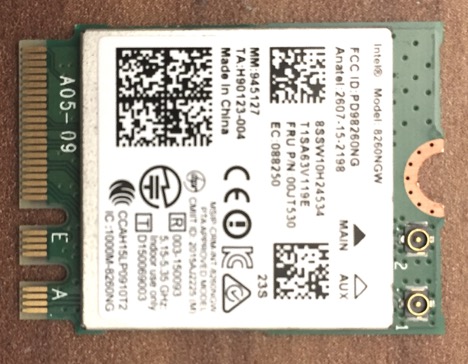
Retail Price: N/A (built-in card)Specs:
- Bands: 5GHz & 2.4GHz
- Network Standard: 802.11 AC 2x2, 802.11n 2x2
- Antennas: 2 laptop antennas
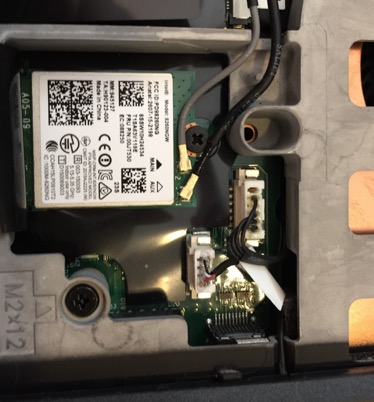
Tested using: Thinkpad P50 (built-in)AC8260 within P50:
Intel AC3165 WiFi Card
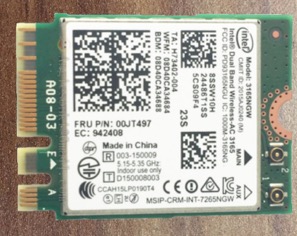
Retail Price: N/A (built-in card)Specs:
- Bands: 5GHz & 2.4GHz
- Network Standard: 802.11 AC 1x1, 802.11n 1x1
- Antennas: laptop antenna
NET-DYN
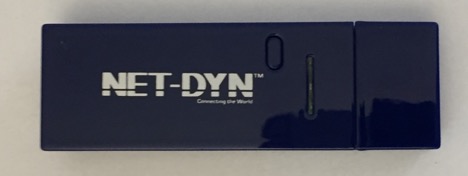
Retail Price: $45 (Amazon)Specs:
- Bands: 5GHz & 2.4GHz
- Network Standard: 802.11 a/b/ac 2x2, 802.11n 2x2
- Radio: MediaTek MT7612UN
- Antennas: two PCB antennas
- Connector: USB 3.0
After removing covers, we can see small (21x61mm) FR4 board:
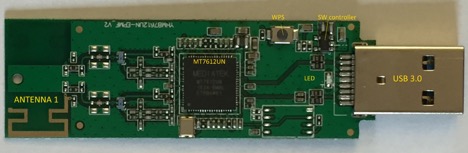
On top side, all electronic parts are placed, including MediaTek radio SoC MT7612, WPS button, LED, small switching controller, USB 3.0 connector, and one on-PCB antenna.
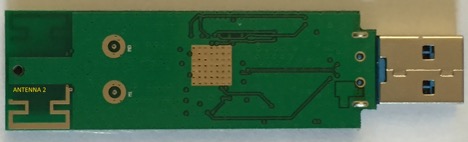
On the bottom side there are no parts, only the second on-PCB antenna.It is interesting to note that NET-DYN (just as all USB adapters we got tested) doesn't have any RF shields at all. Which is consistent with conspicuously-absent FCC and/or CE certification marks.
Alfa AWUS036AC
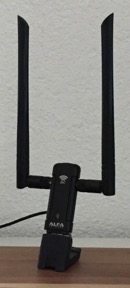
Retail Price: $40 (Amazon)Specs:
- Bands: 5GHz & 2.4GHz
- Network Standard: 802.11 AC 2x2, 802.11n 2x2
- Radio: RTL8812AU + front-end amplifier: Skyworks SE5022T
- Antennas: 2 detachable antennas
- Connector: USB 3.0
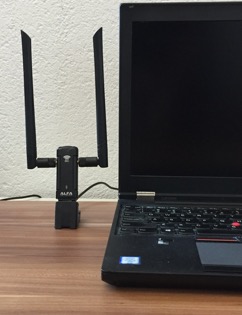
Tested using: Thinkpad P50 (attached via USB)Alfa with Thinkpad P50:
After removing covers of AWUS036AC, we can see one small FR4 board. All significant parts are assembled on top side of the board:
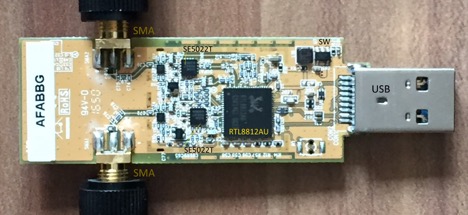
SoC Realtek RTL8812AU provides 2x2 WiFi, 2.4GHz/5GHZ radio, and USB interface controller. Two front-end SE5022T amplifiers further boost power for antennas. Two SMA connectors for antennas are placed on edges of the board. USB3.0 connector (USB) is on right side of the picture, close to USB connector is a switching PSU.
The bottom side of board is less populated: there just a few chips including switching controller and some SMD capacitors and resistors.
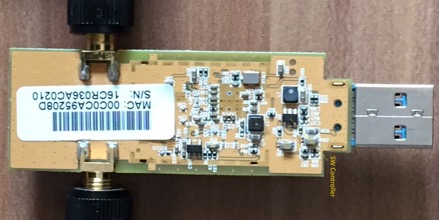
Just as other USB adapters, Alfa has neither RF shields, nor FCC/CE certification marks.
Supremery
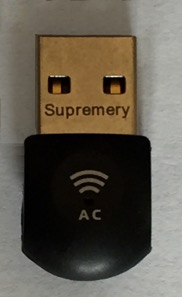
Retail price: $15 (Amazon)Specs:
- Bands: 5GHz & 2.4GHz
- Standards: 802.11b/g/n/ac 1x1
- Radio: MT7610U
- Antennas: 2 PCB antennas
- Connector: USB 2.0
After disassembling, Supremery looks as follows:
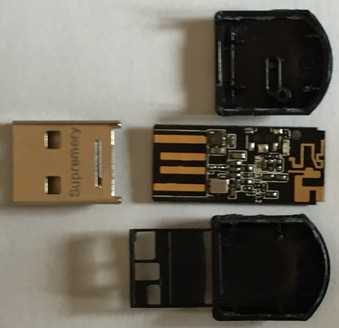
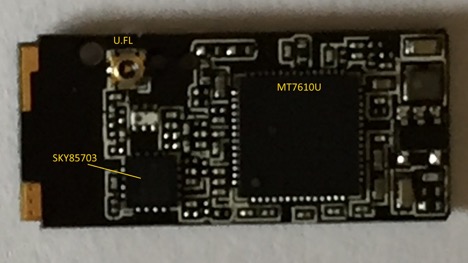
On the top side of the PCB we can see two integrated circuits – MediaTek SoC 7610UN and Skyworks front-end amplifier SKY85703, as well as RF U.FL connector:
On the bottom side, we can see a few SMD parts including LED, printed USB connector, and two on-PCB antennas for 2.4GHz and 5GHz:
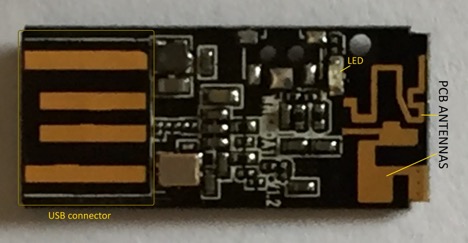
In spite of having relatively high output power (provided by SKY85703), Supremery, just as other USB adapters, doesn't have an RF shield (neither it has CE/FCC certification marks).
Kootek
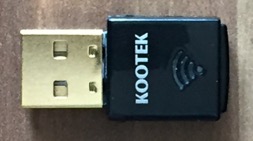
Retail Price: $15 (Amazon)Specs:
- Bands: 5GHz & 2.4GHz
- Network Standard: 802.11 ac 1x1, 802.11n 1x1
- Radio: RTL8811AU
- Connector: USB 2.0
- Antenna: single metal-stamped
It is not easy to open Kootek; but we managed to do it <wink />:
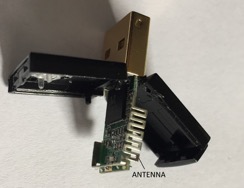
An interesting detail is a metal-stamped antenna which covers the PCB along three sides.
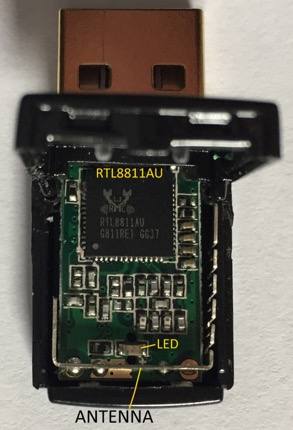
On top side of the Kootek PCB, a big portion of the surface is occupied by Realtek SoC RTL8811AU, there are also a few SMD capacitors and resistors, and a LED located below RTL8811AU.
[[To Be Continued...

Phew; we're done with describing our setup, and are ready to proceed with the most interesting part of this 3-post series - RESULTS of our testing (with inevitable conclusions).


Comments